🌼 Spring Sale — Up to 60% discount for hosting and domains
TutorialsWHM

Mailbox conversion in WHM

Learn how to convert email accounts from maildir format to mdbox in WHM, with simple and clearly explained steps.

Views 351Updated 3 aniPublished on 24/11/2017by Florin Petran

Introduction 

In this tutorial, we will show you the necessary steps for converting an email account from the maildir format to mdbox in WHM.


Requirements

  • Access to the WHN administration panel


Steps

  • To start the conversion of email accounts to mdbox or maildir, we will need to log in to our WHM administration panel hostico.ro/whm and then go to Email Address.
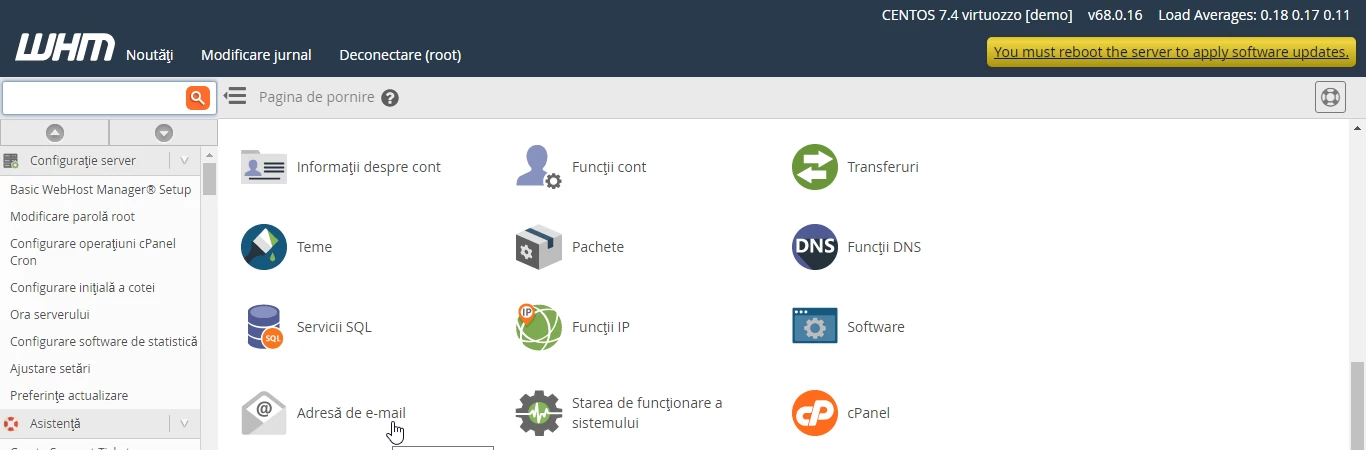
Accesare adresa e-mail WHM

  • By clicking on Email Address, a new page will open, and then we will go to Mailbox conversion.
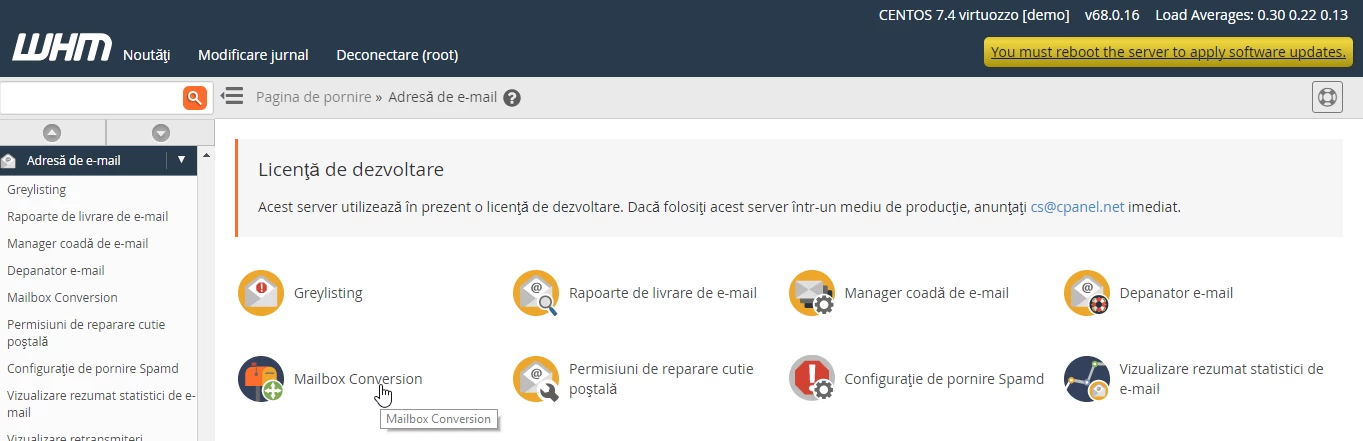
Mailbox Conversion WHM

  • Click on Mailbox Conversion and on the next page we will proceed to the actual conversion.
  • Here we select the desired format by checking the Convert to mdbox box and clicking Next in the bottom right corner of the page.
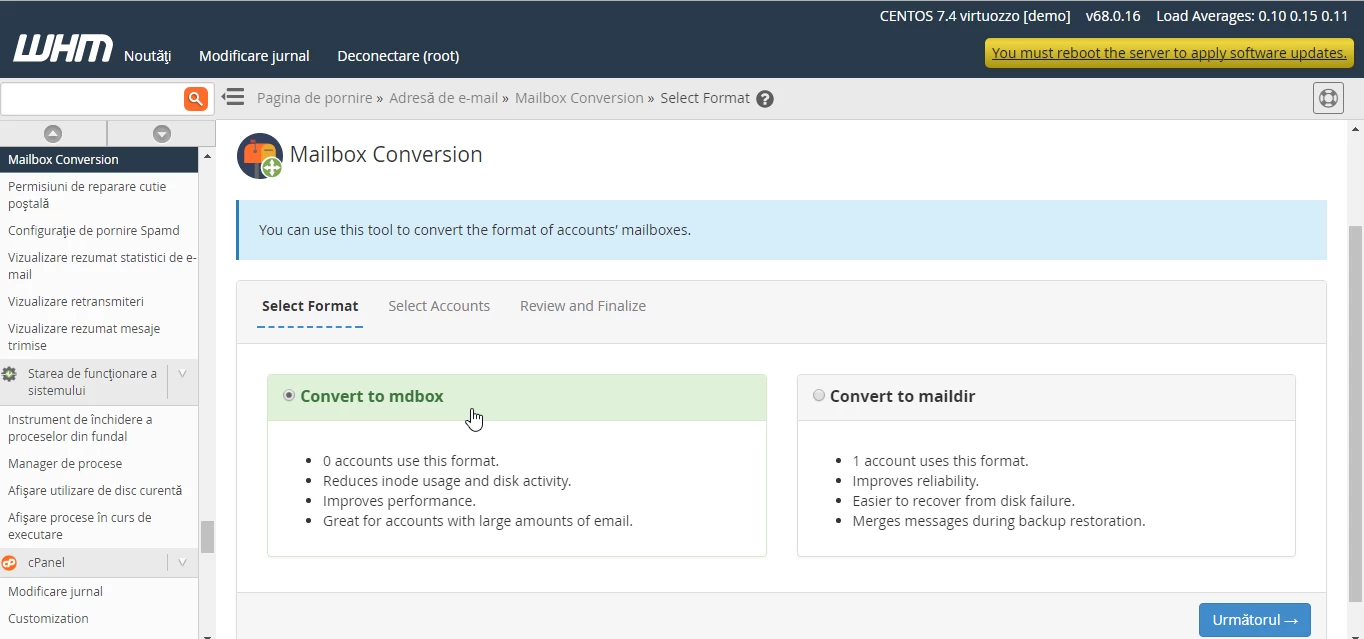
Accesare casuta Convert to mdbox

  • The next step involves selecting the account for which we want to perform the conversion. On the page, we also have information about the current format of the email accounts, which is maildir and we are going to convert it to mdbox.
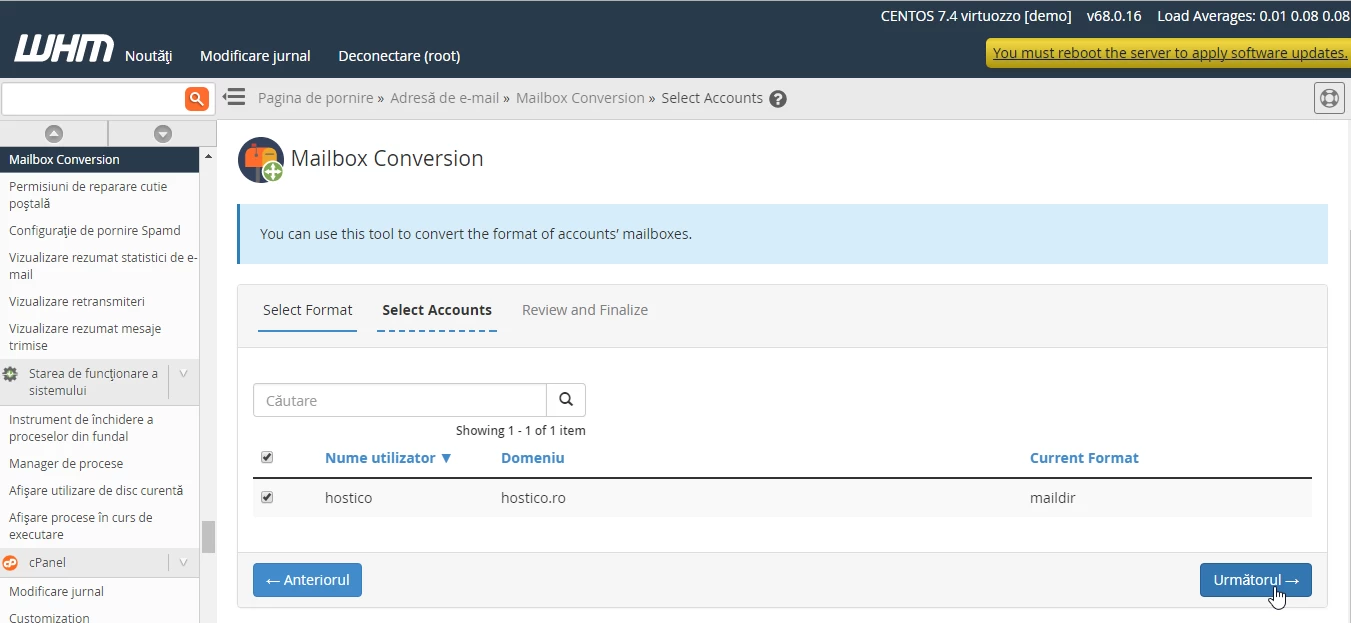
Conversie maildir to mdbox

  • The last step is to click on Convert selected.
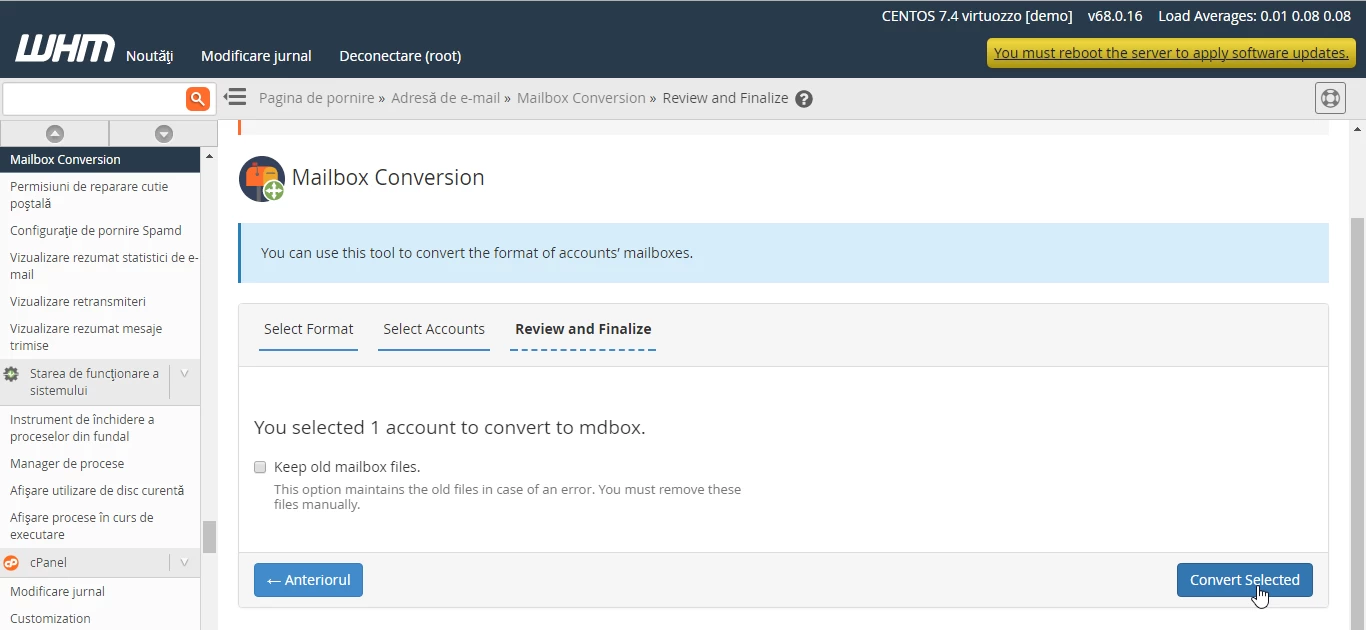
Mailbox Conversion

  • The system confirms the conversion in the immediate subsequent window.
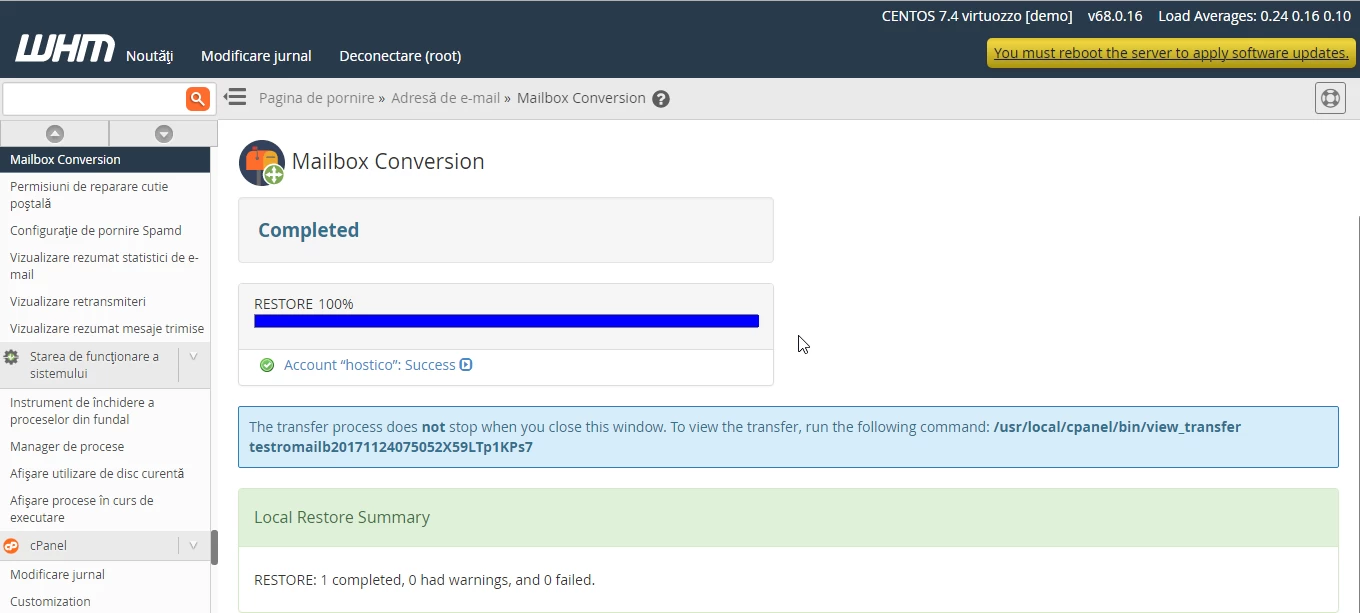
Afisare completed mailbox conversion

Similar Articles

Transfer .ro domainTutorials /Domains

This tutorial presents the steps necessary to obtain the authorization key from the ROTLD panel for transferring a .ro domain to a new registrar.

77
by Mark Dohi
Views 2241
Updated 1 year ago
Published on 06/02/2018
Changing the PHP version in cPanel on VPS hosting packages via MultiPHP ManagerTutorials /cPanel

In this article, we will present the necessary steps to change the PHP version in a cPanel account using MultiPHP Manager.

46
by Sebastian Szlivka
Views 2536
Updated 1 year ago
Published on 18/10/2017
Unblocking the IP from Hostico serversTutorials /Dev

In this tutorial, the necessary steps will be presented to unblock the IP listed in the firewall on Hostico servers.

32
by Mark Dohi
Views 1260
Updated 10 months ago
Published on 05/10/2020
Creating an email account in cPanelTutorials /cPanel

The cPanel allows for the creation of an unlimited number of email accounts associated with hosted domains. This tutorial will explain the necessary steps to create and access an email account.

27
by Cătălin Adrian
Views 5037
Updated 1 year ago
Published on 28/06/2017
Adding a secondary contact (Subcontact)Tutorials /Commercial

Add a secondary contact in your Hostico client account by following these simple steps. Make sure you have an existing account and activate the necessary rights.

27
by Mark Dohi
Views 2452
Updated 1 year ago
Published on 08/07/2017