Tutorials • Plesk
Importing a database in the Plesk panel
Learn how to import a database in Plesk! Follow the simple steps to manage your hosting account effectively.
Views 1011Updated 1 anPublished on 20/12/2019by Cătălin A.
Introduction
This article explains the steps that need to be followed to import a database into a Plesk hosting account.
Requirements
- an active Plesk hosting account
- login data in the panel
Steps to Follow
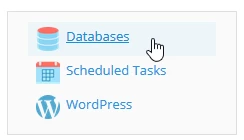
- after logging into the Plesk control panel, in the displayed interface select "Databases" located in the top right corner of the panel
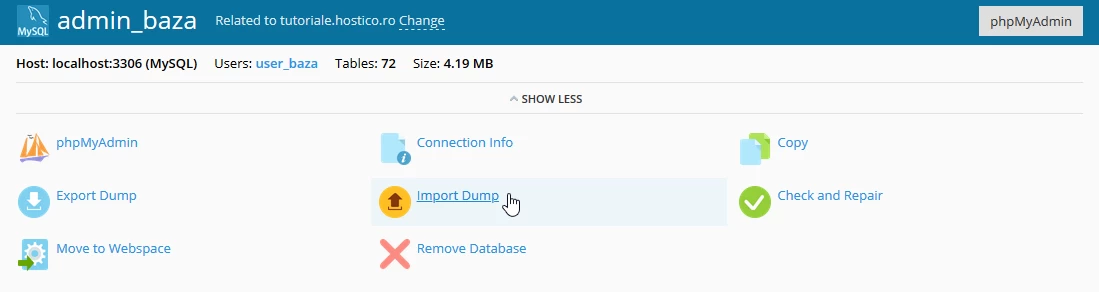
- on the next page, the "Import Dump" button will be selected
- in the window that will be displayed there are two options:
- an SQL file located locally on the user's computer

2. an SQL file already hosted in a specific location is imported
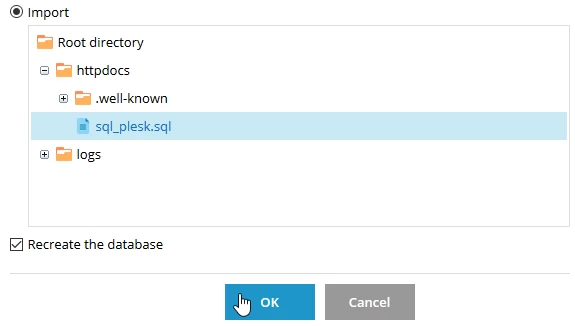
- The "Recreate the database" checkbox checked will recreate the database, importing into an empty database.
- after which the "OK" button is selected
- upon successful completion of the import, a confirmation message will be displayed.
