Tutorials • Plesk
Redirecting to the www or non-www version of the site in the Plesk control panel
In this article, we will present the necessary steps to redirect the domain to the www or non-www version.
Views 1110Updated 1 anPublished on 07/02/2020by Alexandru J.
Introduction
- In the following article, the necessary steps for choosing the preferred URL for accessing a web application or site will be presented in the Plesk administration panel.
Requirements
- Access to the Plesk administration panel, username, and password.
Steps
- Selecting the desired URL along with implementing an SEO-valid redirect will be done from the main Plesk menu, from the left menu Websites & Domains, after which we will click on Hosting Settings.
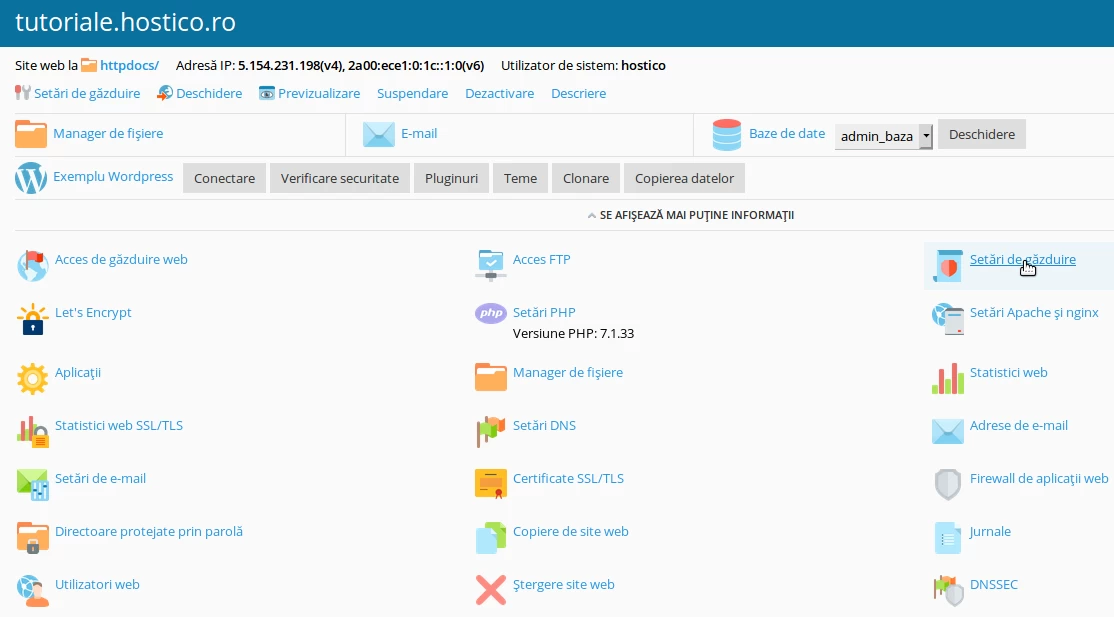
- Next to the Preferred Domain option, select the site access variant:

- The new preferences are saved by clicking Apply, then OK, at the bottom of the page.
- From this point, any access will be redirected to the selected version via a 301 redirect.