Tutorials • Apps
Setting up mail forms via SMTP in Opencart
This tutorial explains how to set up a mail form using SMTP authentication in the Opencart application.
1
Views 1815Updated 1 anPublished on 13/06/2022by Cătălin A.
Introduction
This tutorial explains how to set up mail forms using the SMTP protocol in Opencart.
Requirements:
- A valid hosting account and domain
- Opencart application installed on hosting and access to its administration panel
- A mail box created in the hosting panel that will be used for sending emails
Steps to follow:
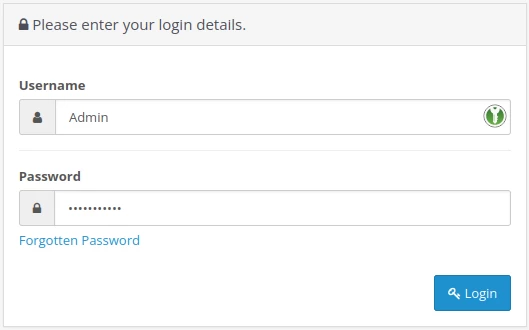
- The administration page of the Opencart application will be accessed where we will use the login data in its platform
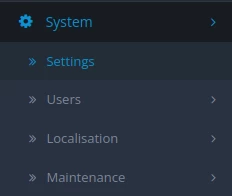
- In the main page, select System and then Settings from the menu on the left side
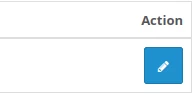
- On the displayed page, click the edit button in the Action field
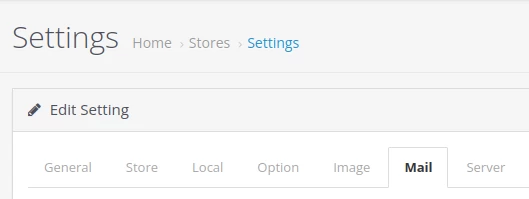
- In the next page, select the Mail tab
- The form fields are filled out as follows:
1. Mail Engine the SMTP protocol is selected

2. Mail Parameters can be left blank, as this is optional only in the configuration through the PHP Mail function.

3. SMTP Hostname is filled in with the mail server name in the format mail.domain.ro. You will also include tls:// or ssl:// in front of the hostname

4. SMTP Username fill in the email box user

5. SMTP Password is filled in with the password of that email inbox

6. SMTP Port fill in port 587 for authentication to be done via the secure STARTTLS protocol

7. SMTP Timeout is set by default to 5 seconds

8. Alert Mail checks the categories on the site for which the mail form set for alerts is desired.

- Then press the Save button located at the top right.
