🌼 Spring Sale — Up to 60% discount for hosting and domains
TutorialsPlesk

Using File Manager in Plesk

Learn how to use the file manager in Plesk, including options for uploading, creating, and managing permissions for files and directories.

Views 371Updated 10 luniPublished on 29/05/2019by Florin Petran

Introduction

  • In this tutorial, we will show you how to use the file manager in the Plesk panel.


Requirements

  • Access to the PLesk user panel, username and password.


Steps

  • After logging into the Plesk administration panel, we will click on the File manager.
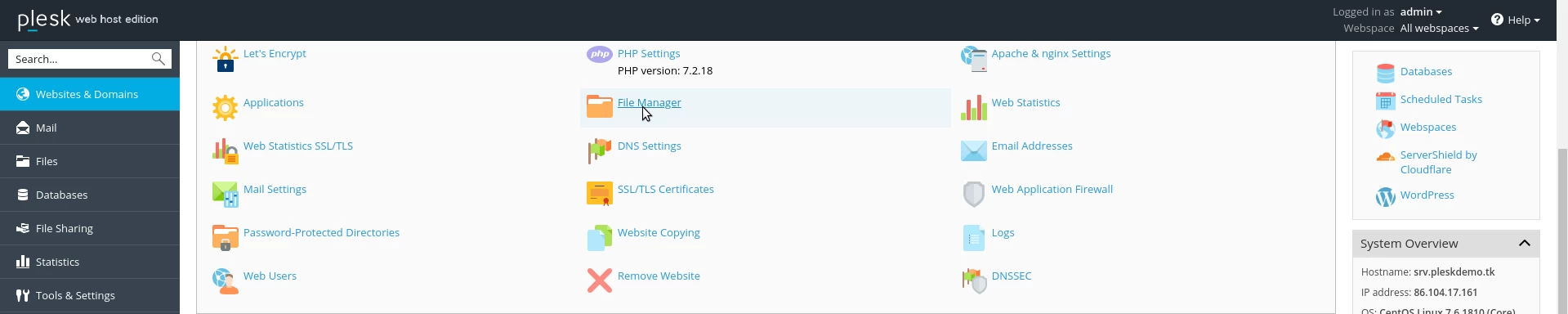
File Manager inside Plesk Website

  • The file manager will be displayed on the new page that will open.
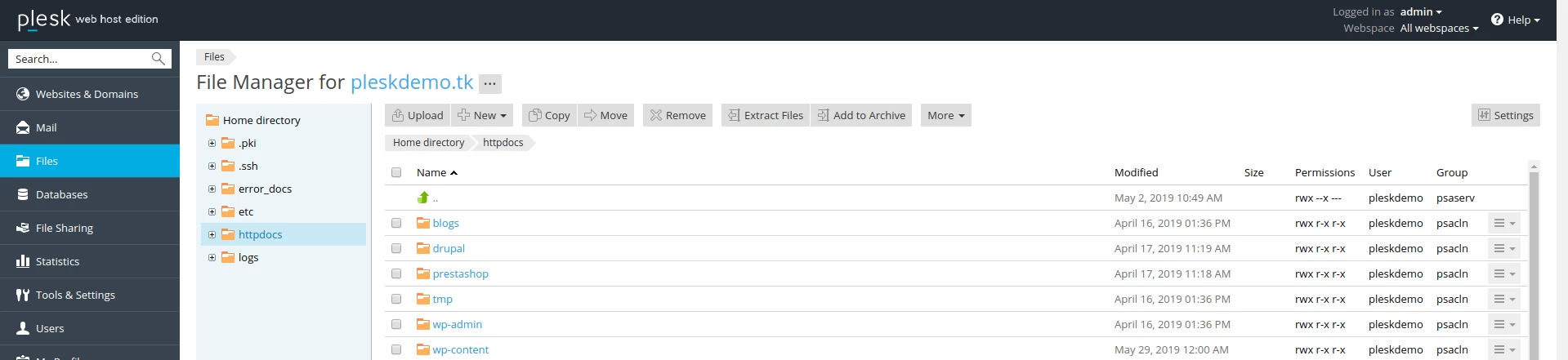
Plesk File Manager

  • The manager provides us with the same functionalities as other utilities available in similar control panels.
  • The main menu contains options upload, create files or directories/+New, copy, move, and other options as seen below.

Plesk FIle Manager Operations

  • On the right side of the panel, we have the options rename/rename and change permissions/Change Permissions. 
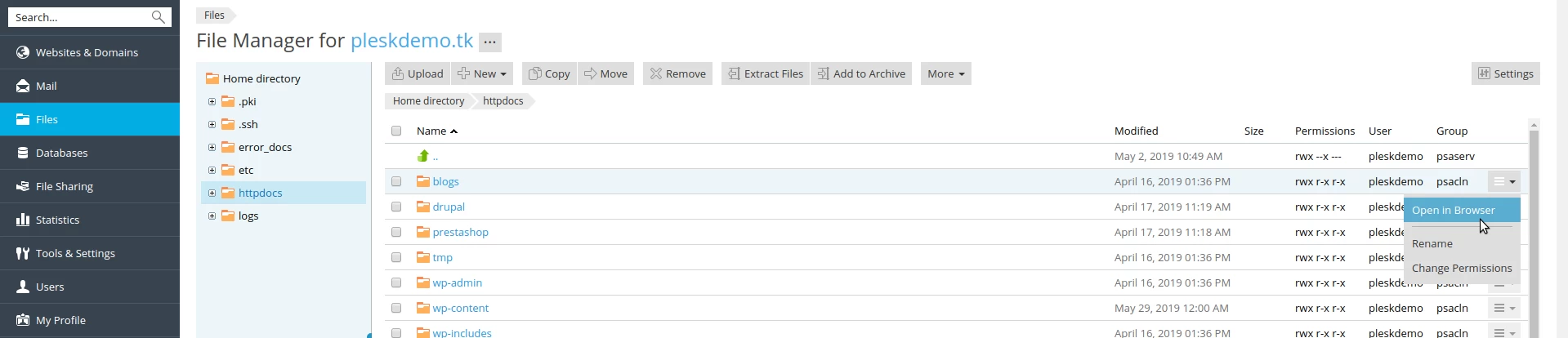
  • Plesk File Manager Overview

Similar Articles

Setting up the web firewall in the Plesk administration panelTutorials /Plesk

The Plesk panel allows you to start, stop, or set custom rules in the web firewall of the hosting account.

8
by Cătălin Adrian
Views 953
Updated 10 months ago
Published on 19/12/2019
Adding an alias domain in the Plesk control panelTutorials /Plesk

In this tutorial, we will show you how to add an alias domain in the Plesk control panel.

4
by Florin Petran
Views 1032
Updated 10 months ago
Published on 29/05/2019
SSL installation via Let's Encrypt in the Plesk admin panelTutorials /Plesk

In this tutorial, we will show you how to install the security/SSL (Secure Sockets Layer certificate) certificate using Let's Encrypt in the Plesk administration panel.

2
by Florin Petran
Views 1170
Updated 10 months ago
Published on 29/05/2019
Redirecting the site from HTTP to the secure HTTPS version from the Plesk administration panel.Tutorials /Plesk

In this tutorial, we will present the necessary steps to implement a 301 redirect from HTTP to HTTPS from the Plesk control panel.

1
by Alexandru Jurca
Views 948
Updated 10 months ago
Published on 07/02/2020
Creating a Plesk mail accountTutorials /Plesk

Learn how to create and access an email box in Plesk, step by step, to efficiently manage your online communications.

1
by Alexandru Jurca
Views 484
Updated 10 months ago
Published on 16/07/2021