Activating technical support on subcontacts
Activation of technical support on sub-contacts in the Hostico account: steps for creating, configuring, and managing sub-contacts for services.
Introduction
In this article, we will go through the process of creating a subcontact and assigning it to a service in the Hostico client account for technical support purposes.
Requirements
- A valid subcontract;
- An active service in the Hostico client account;
Steps
After logging into the Hostico client account, go to the left side in the Edit Profile section.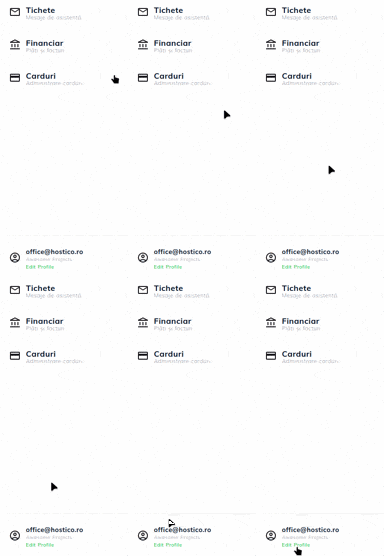
On the opened page, navigate to the bottom to the Associated Contacts section, after which a sub-contact will be created by the New Contact. button.

Note: If there are already valid subcontacts in the Hostico client account, the steps for creating a subcontact can be omitted
Fill in the fields displayed according to need (individual or legal entity).
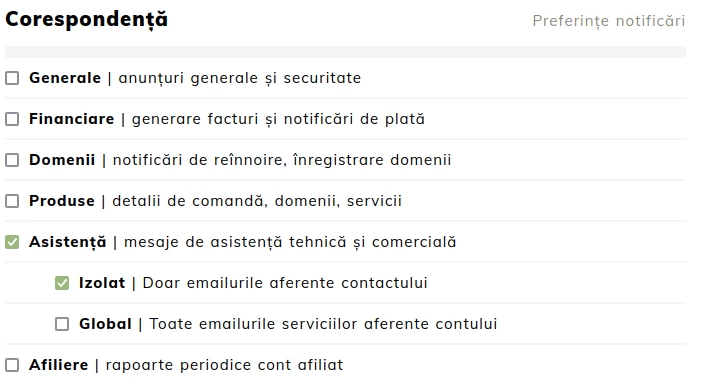
Important! For sub-contacts to receive technical and commercial notifications (correspondence tickets), in the Correspondence section, the Support field must be checked, which will implicitly open two additional checkboxes:
- Isolated - Correspondence will be sent only for the service to which the subcontract has been allocated.
- Global - Correspondence will be sent for all services held in the account.
After ensuring that the subcontract is configured correctly, you will either go to the Services section (for hosting packages) or to the Domains section.
The desired service will be opened, after which in the Actions menu on the right, the option Contact Assistance will be selected.
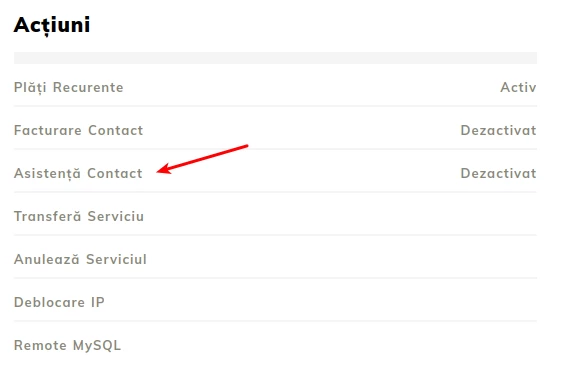
Note: If there is no sub-contact allocated to the service, the message "Disabled" will be displayed.
Following the opening of the window, the desired contact will be selected and the action will be confirmed by the "Yes" button.
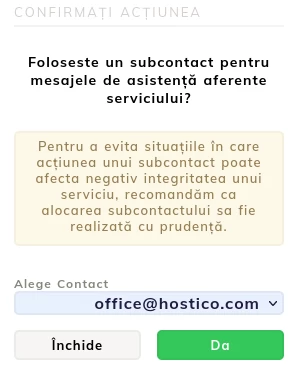
Note: If you want to change the subcontact, you can choose another contact, after which we confirm the procedure.
For situations where we want to remove the contact from the service, the Disable option will be selected.
Note:
- The technical support provided will only be at the level of emails (tickets), for technical/commercial inquiries via chat or phone the account holder will have to be the one contacting the support team.
- To avoid situations where the actions of a subcontractor may negatively impact the integrity of a service, we recommend that subcontracting allocation be done with caution.