Tutorials • Webuzo
SSH settings in Webuzo
In this tutorial, learn how to block SSH access on the Webuzo server by enabling the connection and configuring the necessary port.
20
Views 1725Updated 7 orePublished on 12/06/2018by Alexandru R.
⚠️ Note: This article contains outdated or no longer relevant information. Certain instructions, commands, or configurations may no longer work correctly. For updated solutions, check the recent documentation or contact the support team.
Introduction
- In this tutorial, we will guide you through the necessary steps to block access to the server from one or more IP addresses.
Requirements
- An account Webuzo.
Steps
- The steps necessary to enable SSH access are as follows:
1. Access the Webuzo panel
Access the Webuzo panel and navigate to the SSH section.

2. Activate SSH access
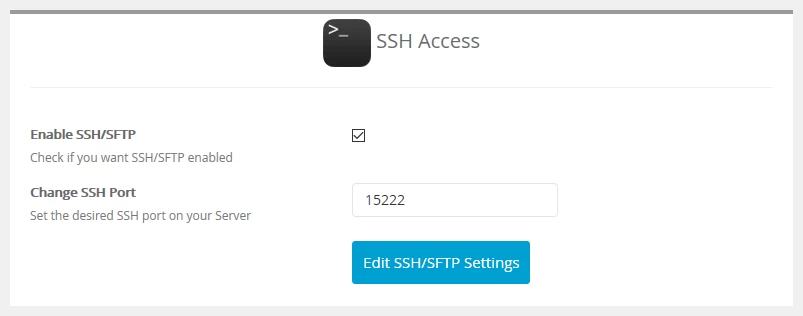
After accessing the "SSH" section, the following window will open:
- Check the Enable SSH/SFTP option to enable SSH access.
- Currently, SFTP support is not offered.
3. Configure the SSH port
Enter the desired port for the SSH connection in the dedicated field. We recommend using the default port 15222.
4. Apply the settings
After configuration, press the Enable SSH/SFTP button. The settings will be applied, and the SSH connection will become active.
Important note:
- In the case of VPSs managed by Hostico, you must follow the detailed instructions here: SSH Access.
- In the case of client-managed VPSs, the settings presented in this tutorial will be applied by the server, and the connection will be made based on the user and password held by the client.